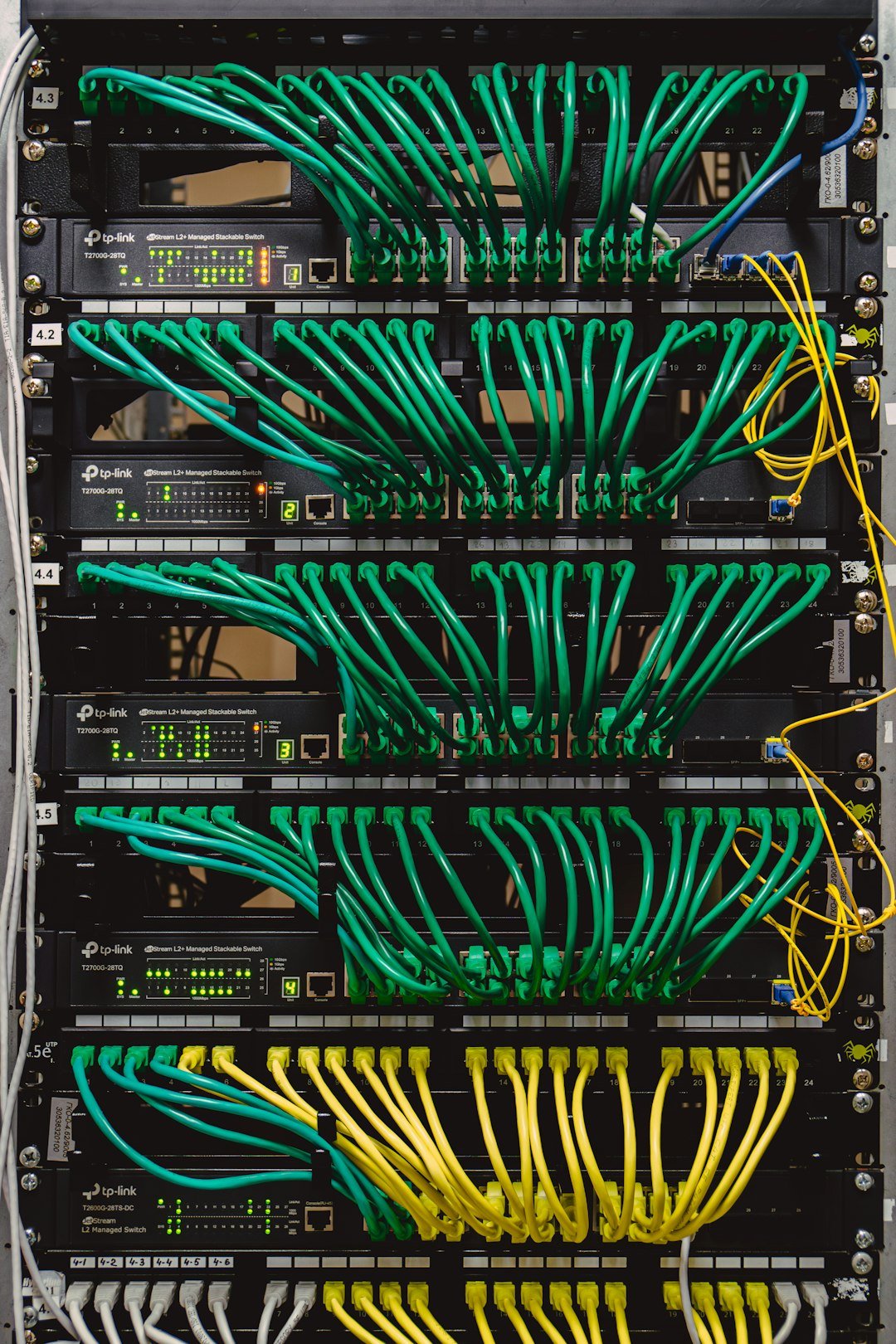
What Is an IPTV Encoder and How Does It Work?
If you’ve ever wondered how does an IPTV encoder work, you’re asking about one of the most important — and least understood — pieces of equipment in the streaming world. An IPTV encoder is the device (or software) that takes a video signal — from a camera, satellite receiver, set-top box, or computer — and converts it into a compressed digital stream that can travel over the internet or a local network. Without encoders, there would be no live streams, no hotel TV channels delivered over the network, and no church or school broadcasts reaching viewers on their phones.
This guide explains exactly how does an IPTV encoder work from input to output: the capture stage, the H.264 and H.265 compression stage, the packaging stage that wraps video in protocols like RTMP, HLS, and SRT, and the distribution stage that gets the stream to viewers. You’ll also learn how to convert HDMI to IPTV, how to set up an IPTV encoder step by step, how encoders differ from decoders and headends, and — through selection criteria, not brand rankings — what to look for when choosing an encoder for hotels, businesses, or your own project. For the broader technology behind all of this, see our explainer on what IPTV is.
Table of Contents
What Is an IPTV Encoder?
An IPTV encoder is a device or software program that captures a video signal (via HDMI, SDI, or another input), compresses it with a video codec such as H.264 or H.265, and packages it into a streaming protocol (such as RTMP, HLS, SRT, or RTSP) so it can be delivered over an IP network. In plain terms, it turns a raw video source into something that behaves like an online TV channel.
Think of it as a translator. Your camera or set-top box speaks “HDMI” — a format designed for a cable running to a nearby screen. Your network speaks “IP” — packets routed over Ethernet, Wi-Fi, or the internet. The encoder sits between them, continuously converting one language into the other in real time. This is the piece of hardware that makes it possible to take a camera feed in a church, a satellite receiver in a hotel, or a PC screen in a classroom and make it watchable on phones, smart TVs, and set-top boxes anywhere on the network.
IPTV encoders are used anywhere a local video source needs to become a network stream: hotels distributing channels to rooms, schools and universities streaming lectures, houses of worship broadcasting services, sports venues feeding screens, corporations running internal communications, and broadcasters originating live channels. They come as dedicated hardware boxes, software that runs on a computer, and hybrid appliances — each suited to different budgets and reliability requirements.
How Does an IPTV Encoder Work?
How does an IPTV encoder work under the hood? The process happens in four continuous stages: signal capture, encoding and compression, packaging, and distribution. Every encoder — hardware or software, cheap or expensive — follows this same pipeline. Understanding it is the key to choosing, setting up, and troubleshooting one.
Stage 1: Signal Capture (Input)
The encoder receives an uncompressed (or lightly compressed) video signal through one of its inputs. The most common input types are:
- HDMI — the standard consumer and prosumer connection. It carries video plus audio on a single cable from cameras, set-top boxes, Blu-ray players, laptops, and media players. Most general-purpose encoders accept HDMI.
- SDI (Serial Digital Interface) — the professional broadcast connection. SDI runs over long cable lengths without the distance limits of HDMI, which is why professional cameras, switchers, and studio equipment use it. Higher-grade SDI variants (3G, 6G, 12G) carry HD and 4K signals.
- Analog legacy inputs — older equipment may use composite or component video. Entry-level encoders sometimes include these for integrating legacy gear.
- IP or USB sources — some software encoders accept webcams, USB capture devices, or even existing network streams as their source.
The choice of input is one of the first things that determines which encoder fits a job: a hotel feeding satellite receivers needs HDMI inputs, while a studio with broadcast cameras needs SDI.
Stage 2: Encoding and Compression
Raw video is enormous. Uncompressed 1080p60 video runs at roughly 3 gigabits per second — hundreds of times more than a typical broadband connection can carry. The encoder’s core job is to compress that signal in real time using a codec (coder-decoder), an algorithm that shrinks video data while preserving as much quality as possible. The two dominant codecs in IPTV encoders are:
- H.264 (AVC) — the long-standing standard. It offers a good balance of quality, encoding speed, and near-universal playback compatibility. Nearly every device, player, and browser handles H.264. For most HD streaming, it remains the default choice.
- H.265 (HEVC) — the newer standard, roughly 30–50% more efficient than H.264 at the same visual quality (the exact savings are resolution-dependent — strongest at 4K, modest at lower resolutions). It cuts bandwidth and storage needs significantly, but encoding requires more processing power, and older devices may not decode it.
Newer codecs such as AV1 deliver further efficiency gains but still have thin hardware support, so they are not yet mainstream in IPTV encoders.
During encoding you configure encoding profiles — settings like bitrate (megabits per second), resolution, frame rate, and GOP (group of pictures) structure. A 1080p stream might be encoded at 5–8 Mbps in H.264 or roughly 3–5 Mbps in H.265. Bitrate is the single biggest lever you have: more bitrate means better quality and more network demand; less means lighter bandwidth but more visible compression artifacts. The audio track is compressed separately, typically with AAC.
Stage 3: Packaging (Output Protocols)
Compressed video is still not a stream — it must be wrapped in a protocol, the delivery format that players understand. This is where output options differ between encoders, and where your choice affects latency, compatibility, and scalability:
- RTMP (Real-Time Messaging Protocol) — the traditional workhorse for pushing a stream from the encoder to a server or platform. Latency is typically a few seconds.
- HLS (HTTP Live Streaming) — the dominant protocol for playback on phones, smart TVs, and browsers. The server chops the stream into short segments; players download them sequentially. Latency is higher (often 10 seconds or more), but compatibility is excellent. Apple’s HLS authoring documentation covers the format in depth.
- SRT (Secure Reliable Transport) — an open protocol designed for contributing video over unpredictable networks, with built-in error correction. Increasingly the choice for encoder-to-server transport when low latency and resilience matter. SRT is an open-source protocol backed by the SRT Alliance.
- RTSP (Real-Time Streaming Protocol) — common for direct streaming on local networks, often used with IP cameras and network video recorders.
- UDP/RTP multicast and MPEG-TS — within a managed local network (a hotel or campus), the encoder can send a single multicast stream that any number of displays can receive without multiplying bandwidth usage.
Most encoders support several of these at once, so one device can feed an HLS stream to phones while sending SRT to a server and multicast to in-room TVs simultaneously.
Stage 4: Distribution and Decoding
The packaged stream leaves the encoder bound for its destination: a streaming server, a content delivery network (CDN), a local multicast group, or directly to viewer devices. At the receiving end, the process reverses. An IPTV player app, set-top box, smart TV, or dedicated decoder receives the stream, decompresses the codec, and renders the picture. An encoder and a decoder are complementary opposites: the encoder produces the stream, the decoder consumes it. To see how the whole chain fits together, read our guide to how IPTV technology works.
Hardware vs Software IPTV Encoders
Encoders come in two forms, and the distinction drives price, reliability, and flexibility.
| Hardware encoders | Software encoders | |
|---|---|---|
| What it is | A purpose-built physical box with dedicated encoding chips | An application running on a general-purpose PC or server |
| Reliability | High — designed for 24/7 continuous operation with no OS updates or background processes to interrupt the stream | Moderate — stability depends on the host computer’s health and workload |
| Latency | Usually lower, thanks to dedicated silicon | Varies with CPU/GPU load |
| Flexibility | Fixed feature set; updates limited | Very flexible — easy to update, reconfigure, and combine with other software |
| Cost | Higher upfront per channel, but low maintenance | Lower upfront (often free or cheap software), but needs capable hardware |
| Best for | Hotels, venues, broadcasters, and anywhere a stream must never drop | Occasional streams, testing, creators, and flexible or cloud-based setups |
The rule of thumb: if the stream runs 24/7 and downtime is costly, hardware wins. If you stream occasionally, experiment, or run in the cloud, software is the economical choice.
How Does HDMI-to-IPTV Conversion Work?
If your question is how to convert HDMI to IPTV, the answer is simpler than it sounds: an HDMI IPTV encoder is the entire conversion process in a box. You connect an HDMI source to the encoder, and the encoder makes that source available as a network stream — effectively turning any HDMI device into a network channel.
Here is the conversion chain in practice:
- Plug in the HDMI source. A satellite receiver, camera, game console, media player, or laptop connects to the encoder’s HDMI input. The source must be able to output a clean HDMI signal — and note that HDCP-protected content (the copy protection on many commercial sources) is blocked by design; encoders handle unprotected or self-produced content.
- The encoder captures the frame buffer. It reads the raw HDMI frames — resolution, frame rate, and audio — exactly as they’d appear on a TV.
- Compression happens in real time. The raw frames are encoded with H.264 or H.265 at the bitrate and resolution you configured. This is the step that makes the stream small enough to travel over a network.
- The stream is packaged for IP delivery. The encoder wraps the compressed video in RTMP, HLS, SRT, or a multicast UDP stream, depending on where it’s going.
- Viewers tune in. Any compatible device on the network — a smart TV app, a set-top box, a phone, or an IPTV headend that picks up the stream as a channel — can receive and play it. For playlists, the stream URL often lands in an M3U playlist so players can list it as a channel.
This is why HDMI encoders sit in churches, schools, sports bars, control rooms, and hotels: instead of running long HDMI cables to every screen, you run one network cable and let every display pull the stream over IP.
How to Set Up an IPTV Encoder
Learning how to set up an IPTV encoder is mostly about doing the generic steps in order. Exact menus differ between products, but every setup follows this sequence:
Step 1 — Connect the video source. Plug your camera, receiver, or media player into the encoder’s HDMI or SDI input. Confirm the encoder detects the signal — most encoders have a status indicator, a web dashboard, or a preview output showing the input picture.
Step 2 — Connect the network. Attach the encoder to your network with Ethernet (preferred over Wi-Fi for stability) and make sure it gets an IP address, either by DHCP or a static assignment you configure. Open the encoder’s web interface in a browser to verify you can reach it.
Step 3 — Configure the encoding profile. Choose your codec (H.264 for maximum compatibility, H.265 for better efficiency), resolution, frame rate, and bitrate. Start with a moderate profile — 1080p at 5–6 Mbps in H.264 is a solid baseline for most local-network and internet streaming — and tune from there.
Step 4 — Set the output protocol and destination. Decide where the stream is going and which protocol it uses: RTMP to a streaming server, HLS for web and mobile viewers, SRT to a remote ingest point, or UDP multicast for in-building distribution. Enter the destination address (server URL, multicast address, or stream key, as appropriate).
Step 5 — Configure audio. Verify the audio source (embedded HDMI audio or an external input) and its encoding, usually AAC. Mismatched audio is one of the most common reasons a stream looks right but sounds wrong.
Step 6 — Test the stream. Open the stream on an actual receiving device — an IPTV player app, a smart TV, or a test set-top box — not just the encoder’s own preview. Check picture quality, audio sync, and latency, and watch for a few minutes to catch dropouts.
Step 7 — Secure and document access. Change the default admin password, restrict access to the encoder’s web interface (password, and ideally network-level restrictions), and record your settings: inputs, bitrates, protocols, and destinations. Future troubleshooting starts with this record.
If the stream plays but looks blocky, raise the bitrate; if viewers report buffering, lower it or check network capacity. Our troubleshooting guide covers the network side of playback problems.
Encoder vs Decoder vs Headend: What’s the Difference?
These three terms get mixed up constantly. They are different devices at different points in the chain.
| Encoder | Decoder | Headend | |
|---|---|---|---|
| Role | Creates a stream from a video source | Plays a stream on a screen | Collects many channels and manages distribution |
| Direction | Source → network | Network → screen | Sources → managed TV service |
| Typical device | Hardware encoder box or encoding software | Set-top box, smart TV app, or IPTV player | Headend appliance or server with encoders, middleware, and management |
| Where it sits | At the point of origin (camera, receiver, studio) | At the viewer’s screen | Between encoders and viewers in larger systems |
An encoder and a decoder are complementary: you need both for a stream to exist and be watched. A headend is the bigger system that sits above individual encoders in hotels, campuses, and multi-dwelling buildings — it takes many encoded streams (or broadcast sources), combines them, and delivers a managed channel lineup to every screen. If you’re evaluating hotel TV systems, our guide to what an IPTV headend is explains the full architecture.
Which IPTV Encoder Is Best for Hotels?
The question “which IPTV encoder is best for hotels” deserves a criteria-based answer, because the right encoder depends on the property’s size, sources, and in-room system — not a brand leaderboard. Hotels use encoders as part of a larger managed TV system: satellite receivers and media sources feed encoders, which feed the headend, which feeds every room. Here’s what to evaluate:
- Channel count and density. A 50-room boutique hotel might need a handful of channels from a few receivers; a large resort might need dozens. Multi-channel encoders that pack several inputs into one box reduce rack space and cost per channel.
- Multicast support. In-building distribution over multicast means one stream per channel regardless of how many rooms are watching — the network-friendly choice for hotels. Your encoder must output UDP/RTP multicast, and your switches must support IGMP.
- Input types matching your sources. Satellite receivers and set-top boxes output HDMI; headend modules and professional gear may use SDI or RF. Match encoder inputs to what your sources actually provide.
- 24/7 reliability. Hotel TV is an always-on utility. Hardware encoders with dedicated chips, watchdog features, and automatic stream recovery are the standard expectation for hospitality.
- Management and monitoring. For a multi-channel installation, you need centralized monitoring: per-channel status, alerts when a stream drops, and remote configuration. SNMP or a management dashboard matters at scale.
- Low latency for live events. Sports in the bar and lobby must not lag far behind broadcast. Check the encoder’s glass-to-glass latency on the protocols you plan to use.
- Licensing compliance. The hotel must hold the rights to distribute the channels it carries to rooms — an encoder doesn’t grant distribution rights. Our IPTV legality guide covers how licensing works.
For small properties, a few single-channel hardware encoders feeding the in-room system may be enough. For large properties, high-density multi-channel encoders integrated with a proper headend are the professional answer. If you’re new to the whole setup, start with our getting started with IPTV guide before speccing hardware.
How to Choose the Right IPTV Encoder
The honest answer to “what is the best IPTV encoder” — or, equivalently, “what is the best video encoder for IPTV” — is that there is no single best product, only the best fit for your use case. Choose by criteria, in this order:
| Criterion | What to look for | Why it matters |
|---|---|---|
| Inputs | HDMI, SDI (3G/6G/12G), or both; number of channels | Must match your actual sources and channel count |
| Codec support | H.264 at minimum; H.265 for 4K or bandwidth savings | Determines quality per megabit and device compatibility |
| Output protocols | RTMP, HLS, SRT, RTSP, UDP multicast | Must match where your stream goes and how players receive it |
| Resolution and frame rate | Up to 1080p60 or 4K as needed | Don’t pay for 4K encoding if every screen is HD |
| Latency | Low-latency modes or SRT for live | Critical for sports, worship, and interactive content |
| Reliability | Hardware for 24/7; watchdog/auto-reconnect | A dropped stream is a failed broadcast |
| Management | Web UI, SNMP, API, centralized monitoring | Essential once you run more than one or two channels |
| Scalability | Can you add channels later? | Systems grow; buying again is more expensive |
| Power and form factor | Rack-mount vs desktop; power draw | Rack space and electricity are real costs at scale |
| Vendor support | Firmware updates, documentation, warranty | Encoders run for years; support matters more than specs |
Work the table top to bottom. The inputs and protocols decide what you can buy; everything below the line is where you trade off price against robustness. A home streamer can stop at the first four rows. A hotel or broadcaster needs all ten.
Common Use Cases
Hotels and hospitality. Encoders take satellite receivers, local channels, and promotional content and turn them into an in-room channel lineup delivered over the hotel network — no coax to every room, easy to add channels.
Houses of worship. A camera feed of the service is encoded and streamed to overflow rooms, shut-in members at home, and an online audience.
Education. Lectures, graduations, and campus events are encoded once and delivered to classrooms, dorms, and remote students simultaneously. Multicast keeps campus network load manageable.
Corporate communications. Town halls, training, and digital signage feeds are encoded and distributed across offices without per-location satellite or cable contracts.
Sports venues and bars. Local feeds are encoded and sent over the venue network to dozens of screens with low latency, replacing expensive matrix switches and long cable runs.
Broadcasters and creators. Live events are encoded at the venue and contributed via SRT or RTMP to a streaming platform or CDN for internet delivery.
Key Specs to Understand
When you compare encoders, these are the specifications that actually affect your result:
| Spec | What it means | Practical note |
|---|---|---|
| Codec (H.264 / H.265) | The compression algorithm | H.264 = universal compatibility; H.265 = ~30–50% bandwidth savings, needs more processing |
| Bitrate | Data rate of the stream, in Mbps | Higher = better quality but more network demand; 1080p typically 5–8 Mbps (H.264) |
| Resolution / frame rate | Output picture size and smoothness (e.g. 1080p60, 4K30) | Match to your screens; encoding above display capability wastes bandwidth |
| GOP (Group of Pictures) | Interval between full video frames | Longer GOP = better compression but slower channel switching and recovery |
| Latency | Delay from camera to screen | Depends on codec, protocol, and buffer settings; SRT and low-latency modes minimize it |
| Output protocols | RTMP, HLS, SRT, RTSP, UDP/multicast | Determines where and how the stream can be received |
| Audio encoding | Usually AAC, at 128–256 kbps | Often overlooked; bad audio settings ruin an otherwise good stream |
| Input types | HDMI, SDI, analog, IP | Must physically match your sources |
Don’t chase the highest numbers on every row. An encoder is a system decision: the right spec sheet is the one whose inputs, codecs, and protocols match your sources, network, and viewers.
Troubleshooting Common Encoder Problems
- No stream output. Check the input signal first — is the source on and outputting a compatible resolution? Then check the network: can you reach the encoder’s web interface, and can the encoder reach its destination?
- Blocky or pixelated picture. Usually bitrate too low for the content’s complexity (fast motion needs more). Raise the bitrate, or switch to H.265 for better efficiency at the same bitrate.
- Viewers report buffering. The stream’s bitrate likely exceeds the available network capacity, or the server is overloaded. Lower the bitrate, reduce the viewer count per stream with multicast, or check for network congestion.
- Audio out of sync or missing. Verify the audio input source and sample rate in the encoder settings, and confirm the player supports the audio codec. AAC is the safest choice.
- High latency. Shorten GOP length, switch to a low-latency protocol (SRT or RTSP instead of HLS), and reduce buffer settings — each stage of buffering adds delay.
- HDCP error on HDMI input. The source is outputting copy-protected content. Encoders are not designed to bypass copy protection; use an unprotected source or the content owner’s authorized distribution path.
- Intermittent dropouts. Often power or heat in hardware encoders, or CPU overload in software encoders. Check temperatures, free up system resources, and confirm the network path is stable.
Frequently Asked Questions
How does an IPTV encoder work in simple terms?
An IPTV encoder works in four steps: it captures a video signal (HDMI or SDI), compresses it with a codec like H.264 or H.265, wraps it in a streaming protocol like RTMP, HLS, or SRT, and sends it over a network. Viewers play it on a TV, phone, or set-top box through a player or decoder app.
What does an IPTV encoder do that a decoder doesn’t?
An encoder creates streams; a decoder consumes them. The encoder sits at the source (camera, receiver, studio) and converts video into a network stream. The decoder sits at the screen (set-top box, smart TV app, IPTV player) and converts the stream back into a watchable picture. Every IPTV system needs both sides of that pair.
Can I use an IPTV encoder at home?
Yes. A single-channel HDMI encoder is enough to put a camera, media player, or PC screen onto your home network, viewable on any smart TV or phone in the house. Home use typically needs H.264, 1080p, and HLS or RTSP output — modest specs by professional standards, and a good way to learn before scaling up.
Do I need an encoder if I already have a headend?
Often, yes — encoders are frequently components inside a headend system. A headend is the managed platform that collects channels and distributes them; the encoders are what convert each individual source into a stream the headend can handle. Some headends include built-in encoding, in which case separate encoder boxes are unnecessary.
Is H.265 always better than H.264 for IPTV encoding?
Not always. H.265 (HEVC) delivers roughly 30–50% better compression at the same quality, which saves bandwidth — valuable for 4K or congested networks. But it demands more processing power to encode and isn’t supported by older devices. H.264 remains the safer default when maximum compatibility matters more than bandwidth savings.
Can an IPTV encoder record video too?
Many encoders and encoder workflows can save the stream to disk as well as send it live — commonly as MP4 or MPEG-TS files. Recording is typically handled by the receiving server or software rather than the encoder box itself. For playback-side recording, see our guide to recording IPTV.
How much bandwidth does an encoded stream need?
It depends on resolution, codec, and bitrate settings. As a rule of thumb: 1080p at 30 fps needs roughly 5–8 Mbps in H.264 or 3–5 Mbps in H.265; 4K needs roughly 12–20 Mbps in H.265. Keep headroom above your stream bitrate — network overhead needs room, and a stream at your connection’s limit will buffer.
Is it legal to run an IPTV encoder?
The encoder itself is just equipment — legality depends on what you distribute with it. Encoding and streaming your own content, licensed channels, or content you have distribution rights for is legitimate. Retransmitting copyrighted channels without authorization is not, and an encoder doesn’t change that. See our guide on is IPTV legal.
The Bottom Line: How Does an IPTV Encoder Work for You?
Now you know how does an IPTV encoder work from end to end: capture the signal, compress it with H.264 or H.265, package it in RTMP, HLS, SRT, or multicast, and deliver it to viewers’ screens. Whether you’re converting a single HDMI source into a home network channel, setting up an encoder for the first time, or speccing a multi-channel system for a hotel, the same four-stage pipeline — and the same selection criteria — apply.
Match your inputs to your sources, your codecs and protocols to your viewers, and your reliability level to how much the stream matters, and the encoder becomes the quiet, invisible backbone of your IPTV setup. For related technology, Smart TV IPTV apps round out the viewing side of the picture.
