
What Is EPG on IPTV? A Beginner’s Guide (2026)
What Is EPG on IPTV? A Beginner’s Guide (2026)
If you have ever opened an IPTV player and wondered what all those empty “Guide” or “TV Guide” tabs are for, you have already met the EPG. EPG stands for Electronic Program Guide — the on-screen schedule that shows you wha By the end of this guide, you’ll know exactly what is EPG on IPTV and how to get it running.t is on right now, what is coming up next, and what is airing over the next few hours or days. It is the IPTV equivalent of the program grid you used to find on cable or satellite TV, and once you enable it, your channel list starts to feel like an actual television service.
In short: what is EPG on IPTV? It is the listings layer of your stream. Your playlist carries the channels; the EPG carries the information about what’s on them.
Table of Contents
What does EPG mean on IPTV?
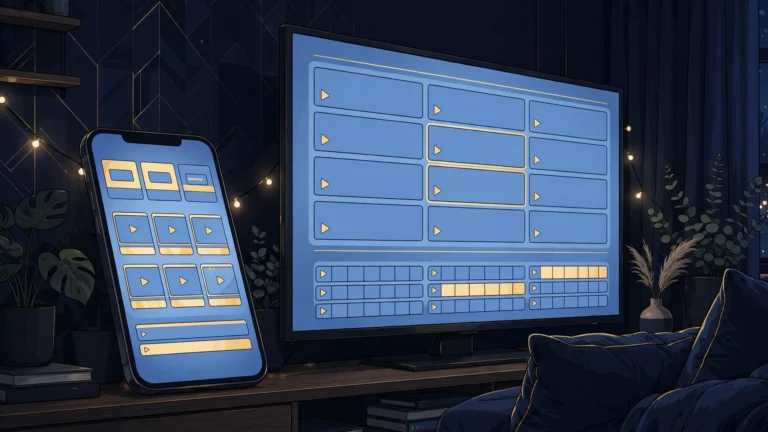
The EPG, or electronic program guide, is a data feed that pairs TV listings with the channels in your playlist. When it works, pressing the Guide button in your player shows a grid with channel names down one side and program titles, times, and short descriptions stretching across a timeline. You can see what is airing now, what is on at 9 p.m., and browse tomorrow’s schedule — exactly like traditional TV.
Without an EPG, your player still plays channels fine, but the interface shows “No information available” (or nothing at all) under each channel. The streams are unaffected — the EPG only carries schedule data, never video — but the viewing experience feels bare. Most people enable the EPG the same week they set up their player, which is why questions like “what is EPG on IPTV” are so common among beginners.
How does the EPG work on IPTV?
Behind the scenes, the EPG is a structured data file that your player downloads and reads alongside your channel playlist. Here is the basic flow:
- Your provider (or a third-party source) maintains listings data. This is a regularly refreshed file describing programs, air times, and channels.
- The data travels in a standard format called XMLTV. XMLTV is an open, widely used format for television listings. If you ever see a URL ending in .xml offered as an “EPG URL,” that is XMLTV data.
- Your player fetches the file on a schedule. Players typically download the EPG once and then refresh it automatically — daily, in most setups — so the guide stays current.
- The player matches listings to your channels. Matching usually happens by channel ID. When the IDs in the EPG data line up with the IDs in your playlist, the guide fills in correctly. When they don’t, you get the classic “empty guide” problem (more on that below).
This is also why the EPG is independent of your actual subscription lines: you can technically attach listings from one source to channels from another, as long as the channel identifiers match.
What is an XMLTV URL?
An XMLTV URL is simply a web address that serves a listings file in XMLTV format. Some IPTV providers hand one to you at sign-up next to your playlist URL; others build the EPG into their login automatically (this is common with Xtream Codes API logins, where the guide data comes down with the account itself). If your provider doesn’t offer one, some players ship with built-in listings sources, and there are community-maintained XMLTV files — though their accuracy and channel coverage vary, so treat them as a fallback, not a first choice.
How do I enable the EPG on IPTV?
Now that you know what is EPG on IPTV, enabling it is the easy part: the exact steps depend on your player, but the pattern is the same everywhere: find the guide/EPG settings, point the player at your listings source, and trigger a refresh. The EPG for most viewers is a two-minute job once the URL is in hand.
Enable EPG in TiviMate
TiviMate is one of the most popular players among IPTV users, and its guide support is a big reason why. If you need a primer on setting up players generally, our IPTV players roundup compares the top options.
- Open TiviMate and head to Settings → TV Guide.
- Look for the EPG sources section and add your provider’s XMLTV URL (or use the playlist’s built-in EPG if your login came from an Xtream Codes API, where listings usually arrive automatically).
- Trigger Update TV Guide to pull the data down.
- Leave the automatic refresh enabled so listings stay current.
New to TiviMate entirely? Our TiviMate vs IPTV Smarters Pro comparison breaks down which player suits different setups.
Enable EPG in IPTV Smarters Pro
With IPTV Smarters Pro, the path depends on your login type:
- Xtream Codes API login: the EPG normally syncs automatically with your account — open the app’s guide section and it should already be populated. If it looks stale, look for an “Update” or “Refresh EPG” option in the app’s settings.
- M3U playlist login: find the EPG settings in the app (usually under the player or playlist settings) and enter the XMLTV URL your provider gave you, then save and let it sync.
For a full walkthrough of getting Smarters running, see our IPTV Smarters Pro setup guide.
Enable EPG in other players
Most players — from Smart TV apps to open-source options — follow the same pattern: settings → EPG/guide section → paste the XMLTV URL → update. If your app offers multiple EPG slots, one good source beats three mediocre ones; piling on sources tends to cause duplicates and mismatches rather than better coverage.
Why is my IPTV EPG empty or not working?
An empty or broken guide is one of the most common IPTV annoyances — and one of the easiest to diagnose once you know what is EPG on IPTV. Work through these causes in order:
- No EPG source is configured. The most common cause. Your player has channels but no listings URL attached. Add your provider’s XMLTV URL (or confirm the Xtream login is syncing the guide) and update the guide manually.
- The URL is wrong or expired. Paste it into a browser — if it doesn’t download or display an XML file, the URL is dead. Ask your provider for a fresh one.
- Channel IDs don’t match. The guide data identifies channels by ID, and if those IDs differ from the IDs in your playlist, listings land on the wrong channels — or nowhere. Some players let you assign or remap EPG IDs per channel; check your player’s channel settings if a specific channel’s guide is wrong while others are fine.
- The guide hasn’t finished updating. First syncs can take several minutes, especially on large channel lists. Give it time, then check again.
- Cache corruption. If the guide suddenly went blank or scrambled, clearing the player’s EPG cache (or app data related to the guide) and re-syncing usually fixes it. This is a classic “turn it off and on again” fix that genuinely works for guide data.
- Outdated or inaccurate source data. If the guide is there but programs and times are consistently wrong, the problem is usually the listings source itself, not your setup. Providers refresh their listings on different schedules; a quick note to your provider’s support often resolves it.
If your streams are freezing and stuttering on top of guide trouble, the cause is likely your connection rather than the EPG — see our guide on fixing IPTV buffering.
Is the EPG included with every IPTV service?
Not automatically, and not equally. If you’re still asking what is EPG on IPTV and whether every service includes it, here’s what beginners should know:
- Availability varies by provider. Some providers maintain accurate, multi-day listings as part of the service; others offer only a one-day guide, or none at all. EPG quality is a legitimate question to ask when choosing a service — see our guide to choosing a legal IPTV service.
- Coverage varies by channel. Major channels almost always have listings. Smaller, niche, or international channels are the ones most likely to show “no information” — a limitation of the listings source, not your player.
- Listings accuracy varies. EPG data is assembled from broadcast schedules that change (live sports overruns, breaking news). Expect occasional mismatches; a guide that is right 95% of the time is normal.
If a provider advertises an EPG but you can’t get it working after following the steps above, that’s support-worthy — legitimate providers help with guide setup.
Conclusion: your next steps
Now you know what is EPG on IPTV: it’s the listings layer that turns your player from a bare channel list into a proper television experience. To recap: the EPG is the electronic program guide that shows schedules next to your channels; it arrives as XMLTV data from your provider or another listings source; you enable it in your player’s guide settings; and most “empty guide” problems come down to a missing URL, an ID mismatch, or a stale cache.
If you haven’t enabled yours yet, grab your provider’s EPG URL, add it in your player’s TV Guide settings, and hit update. It takes a couple of minutes — and once you’ve seen what is EPG on IPTV in action, you’ll wonder how you watched without it.
Frequently asked questions
What does EPG mean on IPTV?
EPG means Electronic Program Guide. On IPTV, it’s the on-screen schedule that shows what is currently airing and what is coming up on each channel — the digital version of the TV listings grid from cable TV.
Does the EPG affect streaming quality?
No. The EPG carries only schedule data, never video. A missing or broken guide has zero effect on buffering, resolution, or playback.
Why does my EPG show the wrong time?
This is almost always a timezone or offset issue. Check your player’s EPG/time settings for a timezone offset option and adjust it until the schedule lines up with your local time.
How often does the EPG update?
That depends on your player and provider. Most players refresh the guide automatically once a day; some providers update their listings files more frequently. You can usually trigger a manual update from the guide settings.
Can I use the EPG with catch-up TV?
Often, yes — when a player supports catch-up, the EPG grid is typically how you browse and select past programs to replay. Whether catch-up is available at all depends on your provider and plan.




3 Comments